
Tire leads, routed to the right store and booked today
LeadHanger takes the tire request on your website, sends it to the store that can fit the tires, and shows the chain or the brand which store answered, and how fast.
Where tire requests are lost
Calls go unanswered
Stores miss calls at busy hours, and a web request waiting for a call-back goes cold.
Bookings that do not show
Customers book a fitting and do not come, and the store finds out only at the appointment time.
The chain cannot see its stores
A chain does not see which store answered which web request, or how fast.
How it works for tires
- 1
Capture
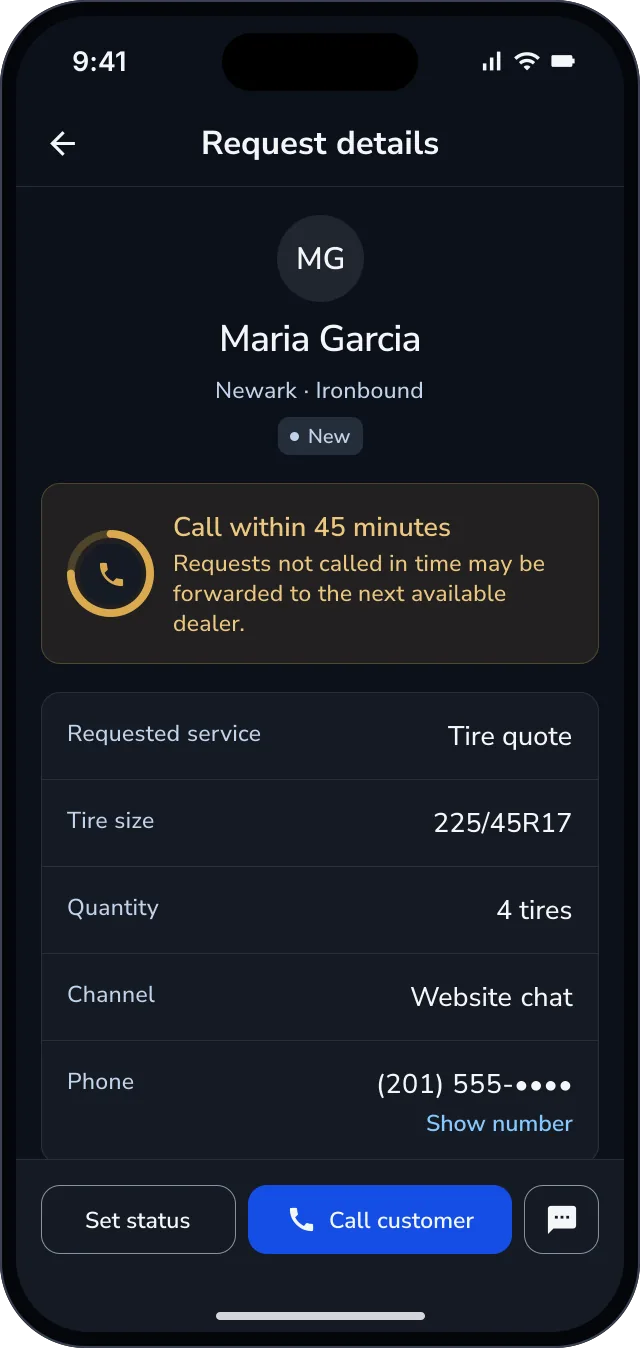
A chat on your site finds the tire size, the quantity and the nearest store, and asks whether today works.
- Stock at each storePlanned
- 2
Route
The request goes to the store that can fit the tires.
- 3
Respond
Respond and book
The store calls from the LeadHanger app with one touch and books the fitting. A request a store does not answer in time moves to the next store.
- 4
Report
The chain or the brand sees response time and bookings by store and region.
For chains and tire brands
- Response time and bookings by store and region
- Every request and its outcome in one dashboard
- Dealer scorecard
- A customer satisfaction question after the fittingLaunching December
For stores
- Today's requests, with call times and reminders
- One-touch calling and outcome capture
- Text the customer from the brand's numberLaunching December
- Masked calling: the customer's number stays hiddenLaunching December
Running at Brisa, the Bridgestone and Sabancı joint venture, since 2023
LeadHanger routes Brisa's web requests to its dealer network, and every follow-up is recorded.
Works with your systems
- TireConnectOn request
- TekmetricOn request
- AutoLeapOn request
Frequently asked questions
Can customers text instead of call?
Texting from the brand's number launches in December. Today the store calls the customer from the LeadHanger app.
What if the store is busy today?
If a store does not answer a request in time, the request moves to the next store, so another store can pick it up.
What do you ask a customer who needs tires?
The tire size, how many tires, the nearest store, and whether today works for a fitting. The store sees the answers before calling.
Who books the fitting?
The store calls the customer from the LeadHanger app and books the fitting. Letting the customer pick a slot online is planned.
How do you report on stores?
In the brand dashboard. For every request, it shows which store received it, how fast the store responded and whether the request became a booking. It adds these up by store and region, for the chain or the brand.
Does it work with our shop management system?
TireConnect, Tekmetric and AutoLeap connect on request. A pilot needs no connection.
Does it work for a tire brand as well as a chain?
Yes. A chain sends requests to its own stores; a tire brand sends them to the dealers that sell its tires.
Get a free Lead Response Audit
We send 3 test inquiries through your site and dealers, then share a one-page result within a week. A pilot runs for 60 days, free, on the brand dashboard and without connecting your systems.